Introduction
Launching a website is an exciting milestone for any business. After weeks or even months of planning, designing, developing, and refining, it's tempting to click the "Publish" button and move on.
But here's the reality:
A website launch isn't the finish line it's the beginning of your digital journey.
Many businesses rush their website launch without performing essential checks, only to discover broken links, missing SEO settings, slow-loading pages, security vulnerabilities, or forms that don't work. These seemingly small issues can damage first impressions, reduce search engine visibility, and cost valuable leads.
At Marvel Creative Media, every website goes through a structured pre-launch process to ensure it's ready to perform from day one. From technical testing and SEO optimization to security checks and analytics setup, every detail matters.
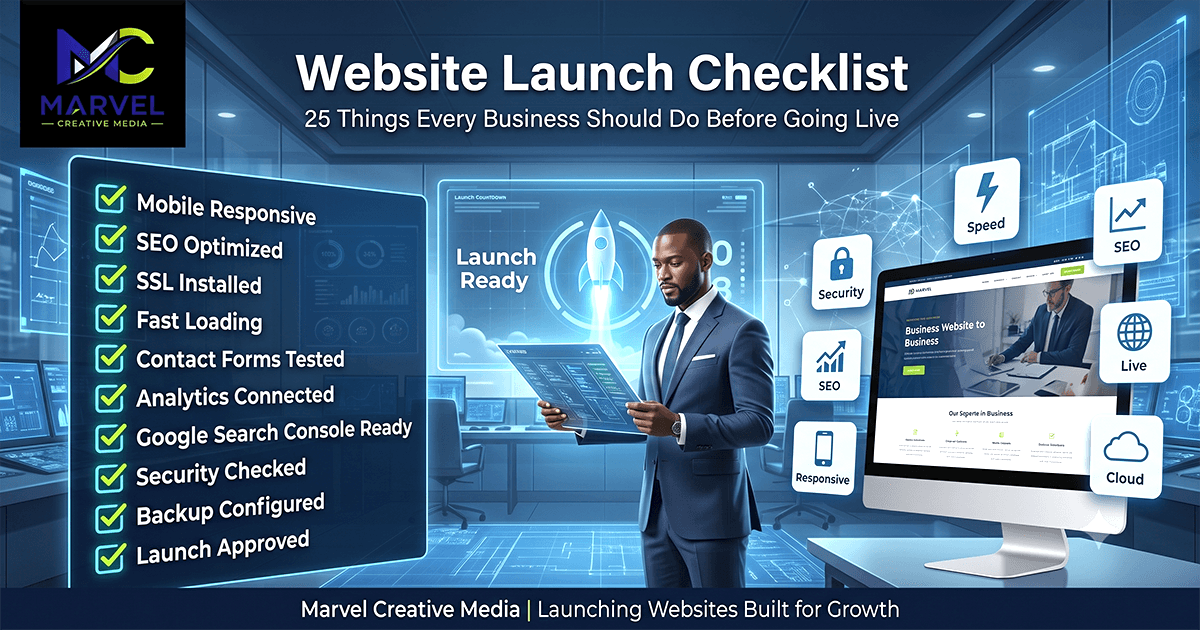
This comprehensive checklist will help you launch your website with confidence while avoiding costly mistakes that could affect your business growth.
1. Confirm Mobile Responsiveness
Today, the majority of website visitors browse using smartphones and tablets.
Before launching, test your website across multiple screen sizes to ensure:
Pages display correctly
Navigation works smoothly
Buttons are easy to tap
Images scale properly
Text remains readable
A mobile-friendly website improves both user experience and Google rankings.
2. Test Website Speed
Speed is one of the most important ranking and conversion factors.
Before launch, check your website using tools like:
Google PageSpeed Insights
GTmetrix
Lighthouse
Optimize:
Images
CSS
JavaScript
Fonts
Caching
Fast websites create better first impressions.
3. Install SSL (HTTPS)
Every professional website should use HTTPS encryption.
SSL protects customer information while improving trust and search engine visibility.
Visitors are far more likely to interact with secure websites.
4. Verify Every Contact Form
One of the most common launch mistakes is publishing a website with broken forms.
Test every:
Contact form
Quote request
Newsletter signup
Booking form
Confirm:
Messages are delivered successfully
Email notifications work
Spam protection is active
5. Check All Links
Broken links frustrate visitors and hurt SEO.
Review:
Internal links
Navigation menus
Footer links
Social media links
Download buttons
Everything should point to the correct destination.
6. Optimize SEO Metadata
Each page should include:
Unique title tag
Meta description
Focus keyword
Proper heading structure
Well-optimized metadata improves click-through rates from search engines.
7. Generate an XML Sitemap
A sitemap helps search engines discover your content more efficiently.
Submit it to Google Search Console immediately after launch.
8. Configure Robots.txt
Your robots.txt file should allow search engines to crawl important pages while blocking unnecessary areas.
9. Add Structured Data
Structured data helps search engines better understand your website.
Consider adding:
Organization schema
Local Business schema
Breadcrumb schema
Article schema
FAQ schema
This can improve search visibility and eligibility for rich results.
10. Optimize Images
Large images slow websites.
Before launch:
Compress images
Use modern formats like WebP
Add descriptive alt text
Optimize filenames
11. Review Website Content
Proofread every page for:
Grammar
Spelling
Accuracy
Consistency
Brand tone
Your content represents your business—make it professional.
12. Verify Calls-to-Action
Every important page should encourage visitors to take the next step.
Examples:
Request a Quote
Book a Consultation
Contact Us
Download Our Guide
Clear CTAs improve conversions.
13. Add Google Analytics
Analytics helps you understand:
Visitor behavior
Traffic sources
Popular pages
Conversion performance
Without analytics, you're making decisions without data.
14. Connect Google Search Console
Search Console allows you to:
Submit sitemaps
Monitor indexing
Track keywords
Identify technical issues
Improve SEO performance
15. Configure Social Sharing
When someone shares your website, it should display:
Featured image
Title
Description
Open Graph and Twitter Card metadata improve how your content appears on social platforms.
16. Test Across Multiple Browsers
Check your website using:
Chrome
Firefox
Edge
Safari
Consistency across browsers ensures a better experience for all users.
17. Review Accessibility
A professional website should be accessible to everyone.
Check:
Color contrast
Keyboard navigation
Alt text
Readable typography
Logical page structure
18. Create Regular Backups
Always configure automatic backups before launch.
This protects your website against:
Human error
Security incidents
Server failures
19. Strengthen Security
Before going live:
Use strong passwords
Enable two-factor authentication
Update all software
Remove unused plugins
Secure admin access
20. Add Legal Pages
Include:
Privacy Policy
Terms of Service
Cookie Policy (where applicable)
These pages build trust and support legal compliance.
21. Display Business Information Clearly
Ensure visitors can easily find:
Business name
Phone number
Email address
Physical address
Business hours
Google Maps (if applicable)
22. Integrate Social Media
Link to your official:
Facebook
Instagram
LinkedIn
X
YouTube
This helps build credibility and encourages engagement.
23. Test User Experience
Navigate your website as though you're a first-time visitor.
Ask yourself:
Can I find information quickly?
Is navigation intuitive?
Is the purchasing or enquiry process simple?
A fresh perspective often reveals overlooked issues.
24. Monitor After Launch
Launching your website isn't the end.
During the first few weeks:
Monitor traffic
Check for crawl errors
Watch page performance
Test forms regularly
Review analytics
Continuous monitoring leads to continuous improvement.
25. Announce Your Launch
Once everything is working perfectly:
Share the news on social media
Send an email newsletter
Publish your first blog post
Update your Google Business Profile
Encourage customers to visit your new website
A successful launch deserves visibility.
Conclusion
A website launch should never be rushed.
Taking the time to complete a thorough pre-launch checklist helps ensure your website is secure, fast, user-friendly, and optimized for search engines from day one.
At Marvel Creative Media, we believe successful websites are built with careful planning, technical excellence, and long-term growth in mind. Every project we launch undergoes a comprehensive quality assurance process because we know that first impressions matter.
Whether you're launching your first business website or upgrading an existing one, following a structured launch checklist can help you avoid costly mistakes and start your digital journey with confidence.
A great website isn't just launched, it launches your business forward